Blog Post Nine | Distributed Cognition

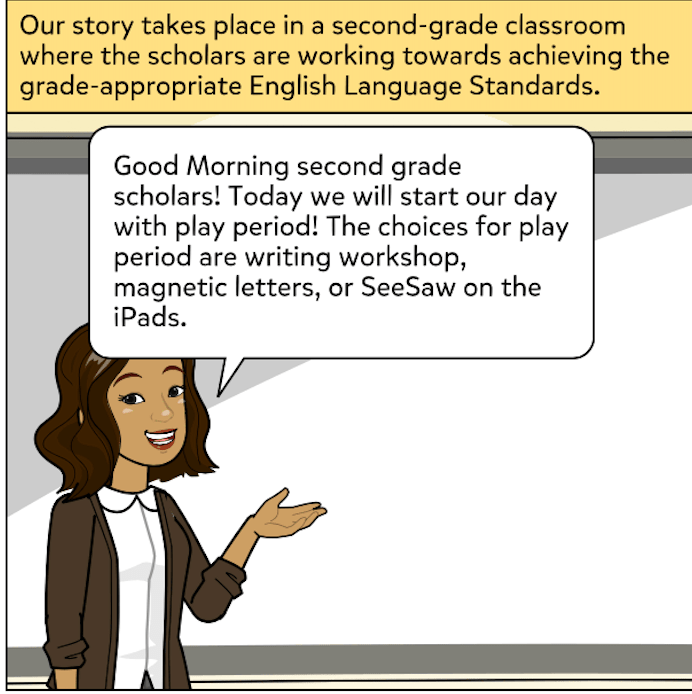
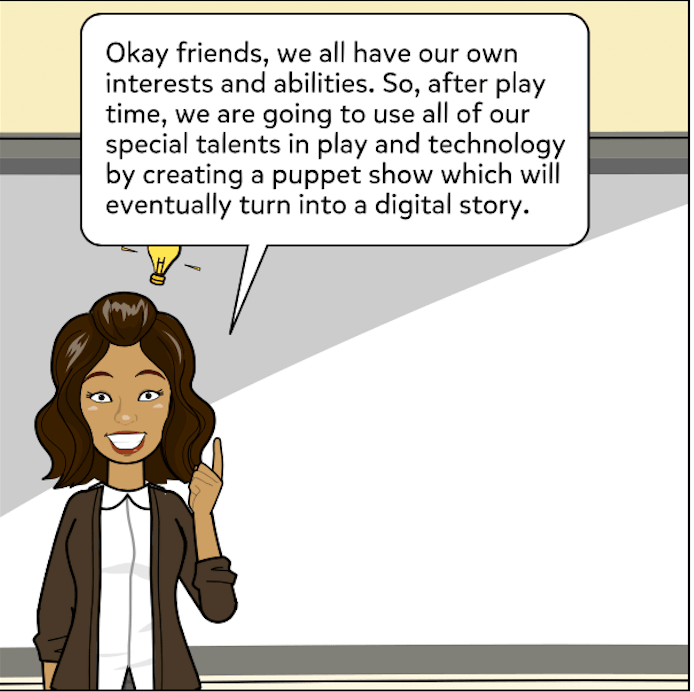
As an Early Childhood Education major, I wanted to focus on a grade-appropriate technology integration lesson. For this reason, I read through the list of distributed cognition video learning experiences, watched a few that took place in an elementary classroom, and decided on Differentiating Instruction Through Interactive Games. This short video follows one of Mr. Robert Pronovost’s second-grade math lessons. Using technology tools and games acquired through grants and his own resourcefulness, he was able to teach and tailor his math instruction to his students and their individual learning styles. A variety of technologies were integrated into the classroom to help students learn and enhance their understanding of the curriculum. The Distributed Cognition Theory provides opportunities for this academic growth and development. According to the Michael Morgan, Gwyn Brickell, and Barry Harper’s piece, “distributed cognition is a way to understand how people interact with their environment and how they can be enabled by the environment to undertake highly complex tasks that would usually be beyond the abilities of the unassisted individual.” (Morgan et al. 127).  This means that students can improve their human cognition by using internal and physical resources and tools.

 Mr. Pronovost uses several of these tools in order for learners to conduct activities and complete lessons in technology-mediated learning environments. He is intentional in how he integrated technology so that he could promote appropriate learning outcomes. Intentional teachers are educators who have a purpose for their decisions. For Mr. Pronovost, he decided to use technology in his lesson because it allows for differentiated instruction. Technology provides immediate feedback, gives students the opportunity to work at their own pace, and supports students who may need it. In this specific lesson, Mr. Pronovost integrates technology throughout his addition and subtraction lesson for these reasons.

He begins and ends his lesson in a whole group setting on the classroom carpet. The students are introduced to the topic, practice identifying clue words, and identify when they need to add or subtract in word problems. Once he feels the students have a decent understanding, he moves them to technological tools. The students work on whiteboards to solve problems, and then they shift over to their computers. This is an example of translation, which “refers to the transformation of information from one representation system to another” (Martin 93). Students are still working on addition and subtraction, but by using a different tool, the information is translated. The computer is used for students to engage in independent practice. So, instead of working in a group on word problems, students work on expression problems independently. They complete three rounds of the game, Planet Turtle, and have to get at least 80 percent correct before they can move on to DreamBox or the iPod, which serves as a more extensive transformation of information.
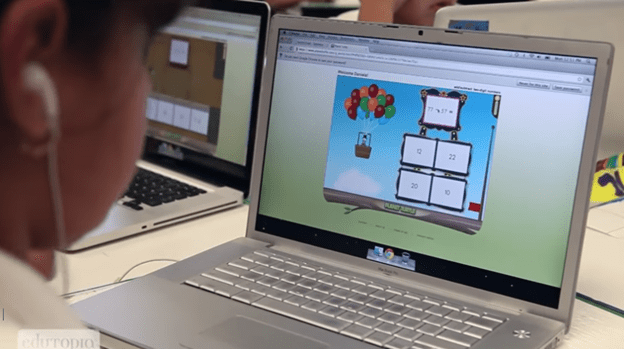
This is because Planet Turtles serves as basic practice for the entire class at the same level. Once they show mastery with these math games and questions, they can move to DreamBox, which is individualized practice and instruction. Meaning, it ensures meaningful communication by giving instruction and content that is translated into something that is academically appropriate for each student.

Both of these technological resources are examples of the effects of and effects through technology and off-loading. Effects-of technology help develop cognitive ability, knowledge, and a deeper conceptual understanding. Effects-through technology not only enhances cognition of thinking but ultimately reorganizes. These online resources allow students to practice the concepts they have already learned. A smarter performance would lead to a deeper and more thorough understanding. It also provides students with the scaffolding they need to succeed in the classroom. This is because technology, specifically online games, that have levels and provides feedback that gives the teacher the opportunity to support the students who need it most. Moreover, the teacher is able to walk around and provide additional instruction, answer any questions, and address any concerns with the students who are struggling with addition and subtraction. This help can provide students with just the right amount of support that they need to succeed. This is known as scaffolding. Additionally, DreamBox helps students succeed by individualizing their instruction to differentiate each child’s learning styles and needs. Students are succeeding at a much higher rate because the technology is differentiating. 

Another example of differentiation is the use of off-loading. Off-loading refers to subtasks that are used to help achieve a learning goal These subtasks are not necessarily specific to the content being taught and can be used throughout several different lesson topics. Examples of off-loading include, “the use of a written list to aid in remembering a series of items, the use of calculators to do arithmetic during mathematical problem solving, or the use of an autocorrect functioning a word processor while composing text” (Martin 94). In Mr. Pronovost’s lesson, students can use their fingers or whiteboards as tools to help them succeed. Whiteboards and dry erase markers are also a tool and form of technology used in the whole group setting.

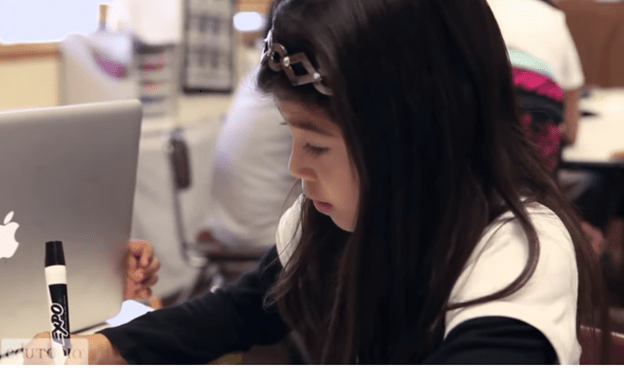
 

In fact, students are encouraged to use all the tools that are available to them. Mr. Pronovost states, “the computer is not always the best tool.” Sometimes these off-loading examples are the best strategies for students to use. In the end, Mr. Pronovost asks and encourages his students to use the tools and strategies that will strengthen their human cognition. 

These games are designed to determine human cognition growth, monitor progress, and are constantly assessing students’ masteries of concepts.  The children think they are just playing to make it to the next level, but these levels are actually letting the teacher know if the child has grasped that specific idea before moving on to a more difficult topic or type of problem. This serves as a form of feedback to the teacher. Feedback is also given to the students who are playing the games and are engaged in online learning. As described in the Martin article, monitoring “can occur through observation of behaviors, or more actively, through assessment techniques such as asking questions or assigning problems to solve” (Martin 94). Planet Turtle and DreamBox perform monitoring by assigning problems to solve that assess students’ understanding in addition to giving them feedback relating to their understanding. This immediate feedback would not have been given if Mr. Pronovost had not incorporated technologies like these in his classroom. Additionally, without technology, students would likely get bored and not feel challenged. This integration of technology engages and excites students. 
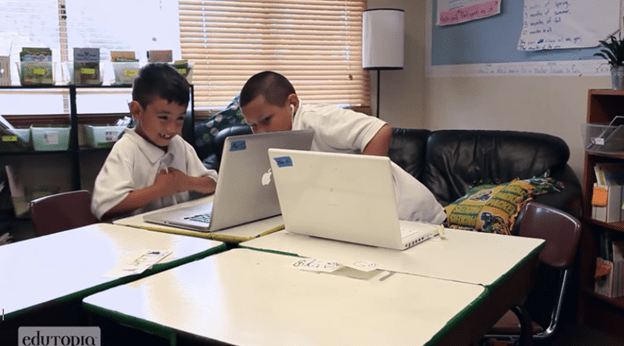
In the end, students who are engaged and excited, are more likely to learn and are thus more likely to become smarter. My observations support this idea and lead me to believe that technology does provide the opportunity to act smarter. The technologies in the classroom help improve students’ performances, which can eventually help students learn and develop more.

This image has an empty alt attribute; its file name is bfb5eeff473ad51052e1b3572f9f6b68.jpg

The students use technologies to enhance their learning, which will help them become smarter. However, this begins with the students themselves using and applying the appropriate tools to their concept understanding. Salomon’s article suggests that cognitive technologies are “technologies that afford substantial support of complex cognitive processing – make people smarter in the sense of enabling them to perform smarter” (Salomon 76). This suggests that with the right tools students can further enhance their learning and development, which is the main idea of distributed cognition. Meaning, that cognition is distributed between and among students, and the technologies used to augment the classroom practices and the students’ performances.

Blog Post Eight | Digital Story Assessment

Created By: Miah Dettorre, Abigail Ruse, and Lauren Denk

Story (______/15 points)

The development of the story makes sense and is in chronological order in terms of the story itself. More specifically, there is a set beginning, middle, and end that carries the audience through the entire story. The problem or situation drives the story itself. The content of place value is articulated clearly and creatively through its structure, engagement, and character transformation.

Project Planning (_______/20 points)

The students in the learning community submit as a group a storyboard and script to show progression and evidence of solid planning. From there, they will receive comments in order to revise and improve their work. Throughout this entire process, the group members work together to evenly distribute the work and collaboratively create a digital story.

Originality, voice, creativity (_______/15 points)

The content of the digital story exhibits an original voice-over narration and a perspective that is imaginative and fruitful. The voice connects with the images or videos that are presented in the digital story to further enhance the message that is being portrayed. For this to adequately happen, students articulate their words clearly and concisely. If any words, phrases, pictures or sounds are not original from the group themselves, they must be properly cited at the end of the presentation.  

Content Understanding (______/30 points)

The presentation and its story are created to convey an understanding of the material addressed. The material being the concept of place value and how to properly shift between place value positions. In result, the audience gains further understanding of the ones, tens, and hundreds position and how many each place value holds. The story accurately presents place value terminology and how to properly shift the position of the digit in a number series. This aligns with the first Number and Operations in Base Ten standard for second grade (2.NBT.1). More specifically, this standard reads that students should understand that the three digits of a three-digit number represents amounts of hundreds, tens, and ones. The audience understands the following as special cases: a. 100 can be thought of as a bundle of ten tens – called a “hundred,” b. The numbers 100, 200, 300, 400, 500, 600, 700, 800, 900 refer to one, two, three, four, five, six, seven, eight, or nine hundreds (and 0 tens and 0 ones). The digital story builds upon this standard and provides students with an application of the concept that has already been taught to them in school.

Presentation (_______/20 points)

The presentation of the digital story is posted on the YouTube website and onto each member’s blog page effectively, making it readily available to all. The digital story is appealing to the eye and to the ear, but at the same time, educational.  The audience is engaged and interested throughout the story itself and the presentation. This can be done through the use of purposeful drawings/pictures, sounds, effects, and transitions. All of these aspects of the digital story are clear, meaningful, and displayed in a manner that does not pull from the actual content itself, and as a result, distract the audience.

Additional Comments:


Blog Post Seven | Access to Technology

In our world today, technology can either be used effectively or ineffectively. There are so many advantages to it, but if not handled adequately, the disadvantages can quickly outweigh them. From my experiences at Hathaway Brown, I can confidently say the positives of technology compensate for the negatives. This is because Hathaway Brown recognizes that technology is part of everyday life. As part of their mission to prepare girls not just for school but for life and their future, it must be carefully implemented into their curriculum. They believe students can consume just as much as they create when using technology.

As a result, Hathaway Brown has created a technology implementation plan so that they can provide students with a careful and mission-based approach. Their philosophy is clear “[They don’t chase the latest technological fad; instead, [they] choose the tools that will best prepare [their] students for the world they’ll inherit” (Hathaway Brown 1). Consequently, technology at Hathaway Brown is used to transform the girls’ learning and development and to promote the use of technology as an instrument for life-longing learning. Technology is a way to further engage them in their learning and to help advance their knowledge.

The first step in doing so is to provide every student access to technology. Hathaway Brown offers 1:1 technology in Early Childhood to Twelfth-grade classrooms. In the primary school, specifically, every student has access to iPads and starting in second grade, each student has their own (School-owned) iPad to use in their classroom. In my specific cooperating classroom, the iPads are stored in a cart in the room, making them readily available. The cart that stores the devices in the room is similar to the one below.

The cart in the classroom has multiple outlets so the students can plug in their devices when they are not using them. Each outlet and charging station is labeled with a number. This number is also marked on the iPad, so the students are consistently using their same iPad. Their iPad is the iPad with the number that corresponds to the number that the cooperating teacher assigned to them at the beginning of the year. This assures the one to one technology in the classroom. The teachers are then responsible for incorporating this into their classroom. They teach students how to use technology both efficiently and ethically.

Moreover, in Hathaway Brown’s IT Department, there is a Director of Information Technology, a Chief Information Officer, and IT Support Specialists. They also have three Library Information Specialists and a Computer Science Department. However, they no longer follow the technology integration model, which would have a particular person for that role. Instead, the teachers are asked to integrate technology as they feel appropriate. To help with this, the school offers technology integration grants to the teachers who want to pursue or try something new.

Additionally, the Technology Review Committee meets monthly to review procedures, policies, investigate possible new technologies, and discuss other technology-related questions and considerations. The committee consists of members from all the divisions. My cooperating teacher happens to be the representative for Prime. I am very fortunate that this is the case because she has been able to provide me with the most reliable and beneficial information. She is also grateful for the position because she finds it to be very interesting and meaningful to be part of a committee like this. The teachers, as well as the rest of the faculty and staff, also participate in monthly online security training. This training has greatly reduced information breaches through email and other outlets.

Further, the IT Director manages an advanced firewall system. However, the school does not block apps or websites unless they are inappropriate. YouTube, Netflix, and other streaming sites, for example, are not blocked. In addition to contacting my cooperating teacher, I went onto Hathaway Brown’s website to investigate their use and access to technology. There I found a list of apps and web-based services that are available to students, used in the classroom, and require student information to have functional access. These include Blackbaud, BrainPOP, Code.org, G Suite, Khan Academy, Lightspeed Systems Mobile Manage, Magnus Health, Microsoft Office 365, Naviance, Pear Deck, PlayPostIt, PowerSchool Learning, Recap by Swivl, Turnitin, and Typing Agent. These applications, however, are not specific to the Primary School. As I have mentioned in my previous blog post, students use apps and sites, including SeeSaw, Scan, Keynote, National Geographic Kids, Scholastic, and CountryKids while in Prime. They currently do not have email access, but the school planed on giving them individual access to Google Drive products moving forward. Either way, the students have access to the devices, applications, and websites that expose them to the world of technology and empower them to use it to their advantage.

Blog Post Six | Digital Story Script

Storyboard Title

Spring Break Shifter

Characters

Quarantina: A young second grader who just got off of school for spring break. She cannot wait to spend time with her mother and relatives.

Mother: Quaratina’s mother who moves to various place value hotels with Quarantina and their relatives.

Covid: The hotel owner, who manages both the rooms in all of the hotels and the check in process. He makes sure that each place value hotel only fits its capacity. 

Other hotel guests: In the background, staying at the hotels that Quarantina, her mother, and relatives would like to stay at in Florida

Quarantina’s 8 relatives: They travel with Quarantina and her mother, and together make a total group of 10 guests.

Voice-Over Narration

One day, Quarantina and her mother decided to go Florida because all of their 8 relatives were planning to go as well. They were all planning on staying in a hotel.

Florida had three different place value hotels. The Just Onesie Hotel, Ain’t Nothin But a Ten Hotel, and All Sun in Hundred Hotel. It was Quarantina and her mother’s plan to stay at “Just Onesie.” But, they ran into a problem.

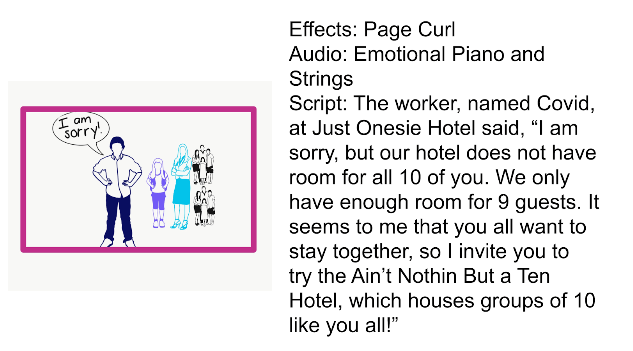
The worker, named Covid, at Just Onesie Hotel said, “I am sorry, but our hotel does not have room for all 10 of you. We only have enough room for 9 guests. It seems to me that you all want to stay together, so I invite you to try the Ain’t Nothin But a Ten Hotel, which houses groups of 10 like you all!”

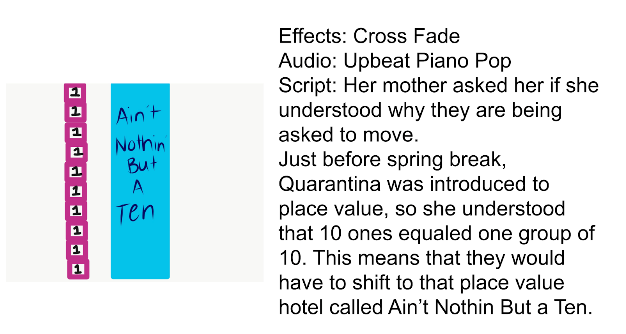
Her mother asked her if she understood why they are being asked to move. 

Just before spring break, Quarantina was introduced to place value, so she understood that 10 ones equaled one group of 10. This means that they would have to shift to that place value hotel called Ain’t Nothin But a Ten.

As soon as they entered Ain’t Nothin But a Ten Hotel, the owner said to them, “you must be a group of 10 from the Just Onesies Hotel! Did you guys just move over here?” The mother said, “yes it seems quite busy here, have you had any move to the next place value hotel recently?”

Quarantina was overwhelmed because she saw 9 other groups of 10, waiting to check in. She knew, that they would need to make a group of 1 one hundred to be moved to Sun in the Hundreds Hotel, so they could all have more space.

This hotel for groups of hundreds was much larger and more accommodating for large groups. The one group of 100 that they all made together fit perfectly in the hotel. Quarantina could not wait to start her vacation, which she hoped included lots of swimming in the large Sun in the Hundreds pool. Happy Spring Break! 

Blog Post Four | Reflection About My Students

For my field experience this semester, I am placed in a second-grade classroom at Hathaway Brown. Hathaway Brown is an all-girls, private, preparatory school in Shaker Heights. Considering this, the school provides its students with excellent resources, instruction, teaching, and, ultimately, an excellent education. I believe an excellent education engages students in active learning. Active learning requires students to be involved and interested in their learning. And, for that to happen, students have to be engaged in multimodal learning. This means they participate and learn using a variety of modalities.

See the source image

As stated in Multimodal Composition and the Common Core State Standards, “Much of the work on multimodal composition is broadly situated within multimodality theory, which is based on the assumption that all meaning-making is multimodal, including linguistic, visual, audio, gestural, and spatial elements. A multimodal framework acknowledges that modes offer certain affordances, and the interaction between modes is significant for communication” (Dalton 2). Dalton goes further by describing how our communication and technology skills are developing. Further, “One of the biggest communication changes happening today is the shift from the printed word on a page to multiple modes of image, sound, movement, and text on a screen” (Dalton 2). This means it is essential for any school, especially a preparatory school, to be infusing technology into their teaching, curriculum, and learning to better prepare their students for the real world.

Based on my observations and interactions, I am led to believe Hathaway Brown is effectively integrating technology into their curriculum. I see this through their assignments, assessments, and activities, which do incorporate technology. In Hathaway Brown’s primary school, every student is fortunate enough to have access to iPads. Students have their own, school-owned iPad to use in the classroom, starting in the second grade.

These iPads are used primarily for academic purposes. Hathaway Brown does not promote the use of social media sites for their Prime students. However, families often provide their daughters with phones or iPads at home, and then students, particularly in third and fourth grade, will use a variety of these sites. As I was conversating with the students, I received mixed emotions and opinions on technology and the use of it. Several of the students said they enjoyed using the iPads, but very few were able to give me reasons why. Child S did say, “I like using the iPads because they have lots of facts and the book try, but they don’t have all the facts like I found this fact in the book, but I couldn’t find any other.” Child B said that she likes using the iPad but that she hasn’t used them lately because she prefers to use the packet of information. During my conversation with Child C, B, L, and S, Child C said, “I only got Apple for Christmas. I got an Apple phone, iPad, and Apple watch.” When I asked if the other students had a phone, I found out Child C had an iPhone 11, Child B had an iPhone 6, and Child L and S did not have one. Child L and S did not seem very interested in using technology outside of the classroom, whereas Child C and B were all about telling me how much they love to text, call, and play games with each other. Their favorite game right now is the app, Roblox. Based on these conversations, I realized that my students have different thoughts and connections to technology outside of the classroom. In the classroom, the use of technology, however, should be interesting and informative to every student. It should be used to “engage students in making connections between pedagogy and academic content,” which are vital to active learning (Lisenbee and Ford 1). The iPads and their availability at Hathaway Brown allow teachers the opportunity to enhance their lessons and curriculum and students to enhance their learning. This is seen with their big social studies project.

The students are currently working on a research project in their social studies class. Although this project does not involve all of Lambert’s seven steps of digital storytelling, I do believe it still provides the students with some of the same benefits. This project allows students to use technology, explore their interests, and discover their strengths. The girls chose a country they were interested in and that they wanted to learn more about.

See the source image

They then used both digital and print resources to gather facts. In addition to books specific to their country, students used websites such as CultureGrams or CountryKids. After completing the research, they will each create their own presentation using Keynote on the iPads. As part of their presentation requirements, they will type, insert photos, and format text. Once they create their visual presentation, they will be able to present it. This will allow the students to share with their classmates.

In our Education Technology course, we have read and discussed how important collaboration and co-construction is to children in the classroom. Since this project is an individual assignment, this opportunity at the end allows students to share their thoughts and ideas with their classmates. However, it is just as important that the students are collaborating, con-constructing, and sharing with their classmates while they are designing their project as well. My cooperating teacher recognizes this and has thus divided the class into different colored groups. While the students are working at their tables, which are clustered in different groups, she pulls the colored groups one by one. This check-in time allows the students to share their progress, ask questions, and engage with their peers. I have noticed similar small group interactions in different subjects, such as guided reading and word study. It appears the students work independently, but not individually. Otherwise stated, the students complete their own work, but are assigned groups or work with their table groups to discuss ideas, questions, and concerns. One example of this is the social studies project, but another is the magnet word study activity.

More specifically, during this activity, my cooperating teacher would provide the students with different words, and they would have to use their magnetic letters to spell that word. The class was focused on practicing r-controlled vowels. She would have the students then switch the ‘or’ to ‘ar’ and vice versa to see if the new word created was a real word or a nonsense word. For example, my cooperating teacher gave the students the word ‘form.’ They spelled the word, then switched the ‘or’ magnet with the ‘ar’ magnet and created the word ‘farm’ which is, in fact, a real word. The girls each had their own boards and spelled the word themselves, but they were also allowed to speak with each other as they identified the words. Similar small group learning experiences take place though out the day just because of how the class and their desks are arranged. The desks are organized in clusters of four, two pairs facing each other. This set up allows the students to have their own space but work and collaborate with their peers when they need to. Since the students are very polite and respectful, the cooperating teacher does not have to worry about them being distracting or misbehaving. The students seem to be aware of their expectations and focused on their learning. Thus, there are positive communications and interactions with both their peers and their teacher.

Given this small group dynamic, I think it would be very beneficial to further integrate technology into their classroom by completing a collaborative project, where students create a digital story. I think one implication of incorporating technology into the classroom is that the students start to focus solely on the device and not the people or experiences happening around them. This is why I appreciate my cooperating teaching allowing students to meet and connect with their classmates.  I do see the value in each student creating their own social studies project so that they are learning what they are good at and what part of the process they enjoy the most, but I also see the importance of creating something together.

In addition to these social studies projects, the girls also use iPads in their Computer Science special class, which is once in their six-day rotation. I have not personally seen this special, but from my discussion with the teacher, the class uses a variety of coding applications and various apps during Computer Science. In their regular classroom, they generally use the iPads for research and educational apps. Girls use them to take pictures, watch videos, and record their voices as part of their math and literacy workshop stations as well. More specifically, they use SeeSaw for recording, Scan for scanning, and for researching, they have use sites such as National Geographic Kids, Scholastic, and the ones mentioned above. Certainly, the students are introduced to so many different practices, perspectives, and possibilities. The apps and websites they have access to provide them with unlimited knowledge, multimedia projects, and multimodal composition. By creating these projects and completing these different activities, the students are learning the curriculum but also the skills that are now required to be prepared for school, work, and life.

Video Game Post Three

Prior to this educational technology class, I would not have been inclined to use a video game as a teaching tool. My exposure to video games has been with programs designed basically for entertainment. Video games were games to be played on a television screen using controllers and a console. I had not thought of games and resources online as a category for video games. Gee’s article, Good Video Games, the Human Mind, and Good Learning defines video games as “‘action-and-goal-directed preparations for, and simulations of, embodied experience’” (Gee 2). Simply stated, video games “act like the human mind and are a good place to study and produce human thinking and learning” (2).  If I think of video games in that matter, then I am more likely to utilize them in my classroom, especially after I complete this Video Game Exploration.

Technology is extremely prevalent in our society, in our homes, and in our future workplaces. Someone even told me once that knowing how to use a computer is going to be equivalent to knowing how to read.  For these reasons, we must integrate technology in our classrooms. Students should be familiar with technology and how to use it. By using online experiences in the classroom, students are becoming more proficient with technology. However, it is more important that the types of technology we use enhance children’s learning than it is just to use technology for the sake of it. Meaning, the video games that we choose to use in our classroom should be quality games that can fit curriculum and be integrated into instruction.

Gee explains how good computer and video games have good learning principles built into them. The article goes on to say, “The stronger any game is on more of the features on the list, the better its score for learning. The list is organized into three sections: I. Empowered Learners; II. Problem Solving; III. Understanding” (Gee 30).  I decided to look at the sections, read the principles relevant to learning, and then comment on my game regarding a few of the principles to see how good of a learning game, “Hamster Run,” is in accordance with Gee’s perspective. Since my previous posts have identified the positives of the game, I am going to share the aspects and principles that are not as strong or that I feel need to be approved.

The “identity” principle, which is located under the “Empowered Learners” section indicates, “Good games offer players identities that trigger a deep investment on the part of the player” (11). I think the characters are really cute, and as a young child, they would enjoy choosing which of the following ones they would want to use.

However, I would not say the players have any personal connection to the characters. This could be improved simply by adding names or stories to the characters so that the children want to inhabit a specific one based on the character’s personalities or stories.

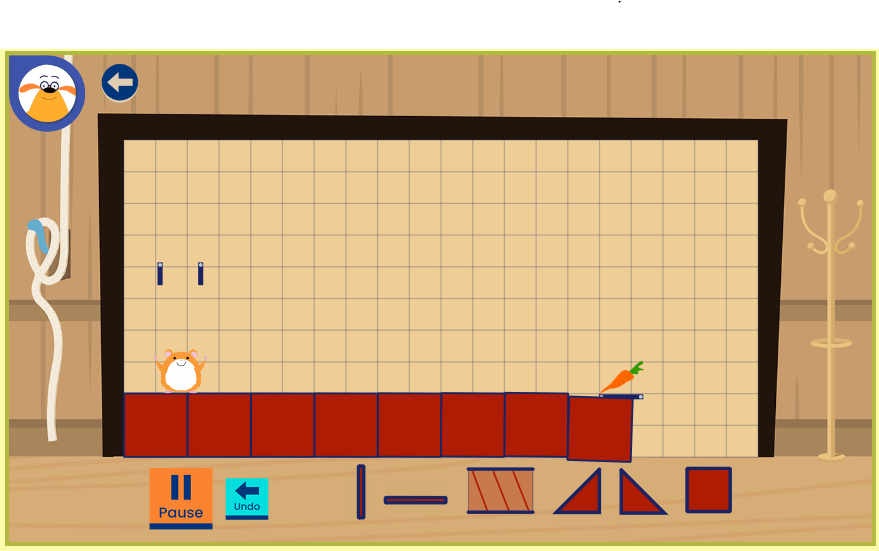
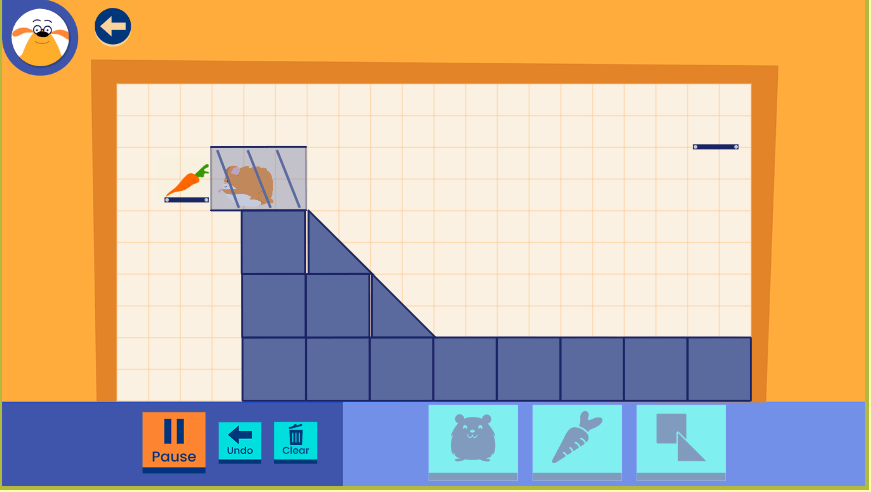
 Another principle that I feel could be changed is the “Sandboxes” principle under the “Problem Solving” category. This principle in regards to games states that “things cannot go too wrong too quickly or, perhaps, even at all” (18). In “Hamster Run,” when the player creates an unsuccessful path, Ruff Ruffman says things like, “All builders have to redesign sometimes, trying building it a little differently” and “So close! You might have to move some things around.” The hamster, as seen below, will just continue to run into whatever is stopping him until the player moves pieces around.

Meaning, things cannot go too wrong, and the game actually includes the “Sandbox” feature. However, as a player, I think there is no incentive to try to not fail because you can’t really fail. I feel the game might be more fun and authentic if there was at least a little pressure to reach the carrot successfully. I appreciate, though, that there is not too much pressure, where the players get frustrated and either give up or continuously fail each level. There is a fine line between being pressured and being too pressured.

Ultimately, there are improvements the game, “Hamster Run,” could provide to make it more relevant to learning. However, the game does include aspects of the majority of the principles, and therefore, I believe it is beneficial to children’s learning and development. After researching this game and playing it for a significant time, I have determined that I would most definitely use this in my classroom.

Video Game Post Two

As I continued playing “Hamster Run,” I began to look at the video game from a different perspective. When I first selected the game and began playing it, I pretended as if I was the child familiarizing myself with it. I was focused on learning how to play it just as a child would.  I then shifted my mindset to that of a teacher and tried playing the game. This time, I focused on the learning behind the game. I noticed that the purpose of the game was different for both the child and the teacher. Moreover, when a child plays this game, the purpose of it is solely to get the hamster to its carrot. Whereas, a teacher views the purpose of this game is to practice and develop problem-solving skills. These skills and the curriculum behind the video or computer games are what teachers pay more attention to, and rightfully so. They are integrating the game into their curriculum so that the learning and teacher experience is enhanced. Yet, for students to sufficiently improve their learning, the game has to be both engaging and educational. In the Mindshift Guide to Digital Games + Learning chapters, it states that “the best learning games are always fun” (Shapiro 20). To ensure that “Hamster Run” was both engaging and academically stimulating, I played it through the eyes of the teacher and the student.

Ultimately, the goal of the game is to build structures to help our hamsters reach their food. But, to do this, students have to use the engineering design process to build, test, and redesign their structures. They are using and enhancing their science, math, engineering, technology, and problem-solving skills. This aligns with the Mindshift Guide to Digital Games + Learning article. In this text, it states that “long-form games tend to foster skills like ‘critical thinking, problem solving, collaboration, creativity, and communication’” (23). “Hamster Run” is a perfect example of a long-form game because it “start[s] simply and expand[s] over time, so [it] can easily form the backbone of an entire curriculum (23). The two pictures below show the first six levels and then the last six levels of the game. By looking at the individual panes, one can see how the difficulty of the game increases dramatically. However, it starts simple and expands as the student fosters and further develops their skills.

Problem solving and technology are areas that are vital for students to broaden their knowledge in. For this reason, the game, “Hamster Run” is beneficial for children of any age. But, I, personally, would recommend implementing this game in any kindergarten through fifth-grade classroom. This is because there are specific standards that could be assessed while students play the game. More specifically, for kindergarten through second grade, I would assess the design and technology standards. Within this set of standards, students are able to identify a problem and use an engineering design process to solve the problem. Standard K-2. DT.2.b, specifically, states students can demonstrate the ability to follow a simple design process: identify a problem, think about ways to solve the problem, develop possible solutions, and share and evaluate solutions with others. This is an ideal standard for the game, “Hamster Run,” because there is a problem and the players have to develop a solution to solve it. The problem being the hamster cannot reach his food, and the solution is a path to the carrot. The players have to develop these solutions by using the lines and shapes that are available. And, there are several possible solutions and paths, the player can make. These two pictures are taken of the same level, but with two different, yet both successful, pathways.

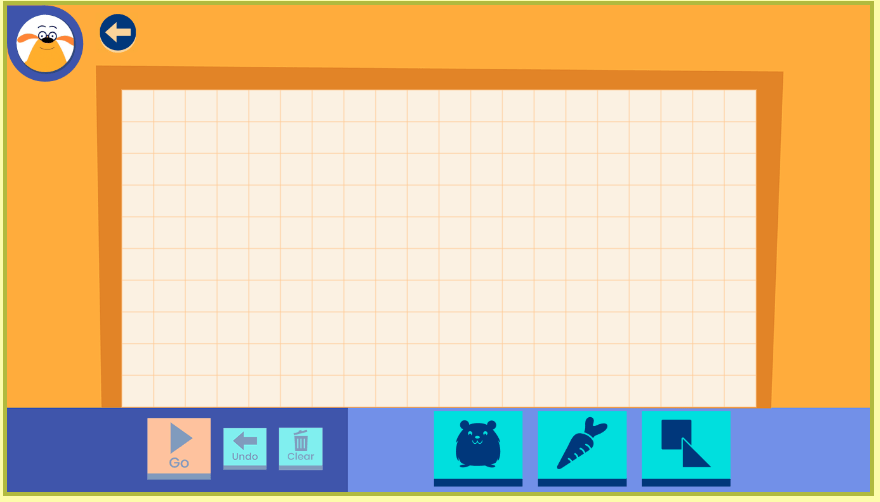
The younger children playing this game, are just starting to learn their shapes and how-to problem solve, so this game allows them to recognize and use the shapes at an introductory level. Whereas the older students are more familiar with shapes and problem-solving, so the first few levels of this game may serve more as practice. After the first few levels, the levels will begin to get harder and more challenging for the students. They will even be able to create and design their own challenges. Here, the game can be applied to standard 3-5. DT. 2.b: Plan and implement a design process: identify a problem, think about ways to solve the problem, develop possible solutions, test and evaluate solution(s), present a possible solution, and redesign to improve the solution. The standard is very similar just with slight degrees of difficulty. Comparably, the game is the same for every grade, but the difficulty changes as the students improve their skills and are able to complete higher levels or even create their own. When the older students select “Create,” they have the opportunity to build their own challenges to see if the hamster can get their carrot. The picture below shows what the screen looks like when the student chooses “Create.” Not only does the player get to create a pathway, but they also get to create the problem by choosing where they want to place the hamster and carrot.

Below is an example of a path, I successfully created.

As I was creating my path, I was testing and developing different problems and solutions and redesigning to improve the solution. I was doing exactly what the above standard assesses.

The more I played and the more I created, the more I realized how this game was entertaining, engaging, and educational. Since starting this Video Game Exploration, I agree even more with Shapiro, saying, “The best learning games are always fun” (26). This is because, the game, “Hamster Run,” is a prime example of it.